
Your Instagram profile picture is one of the first things people notice when they visit your profile. Whether you manage a personal account, run a business, promote a brand, or create social media content, choosing the right profile image can help you establish a recognizable online identity. However, selecting a good photo is only part of the process. You also need to understand the correct Instagram profile picture size, image dimensions, aspect ratio, and design techniques to achieve the best results.
This complete guide explains Instagram profile picture size, how to prepare images for uploading, and practical ways to create a clear, professional-looking profile image.
What Is the Instagram Profile Picture Size?
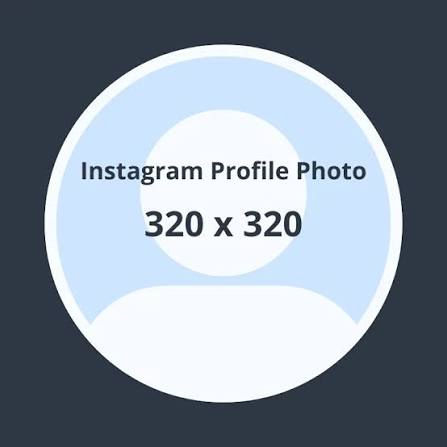
Instagram displays profile pictures in a circular frame, even when you upload a square image. Therefore, your original image should be designed carefully so that important details remain visible after Instagram crops it.
A commonly recommended size for Instagram profile pictures is 320 × 320 pixels. Preparing a square image at this size provides a practical starting point for creating a sharp profile picture. You can also design at a higher square resolution, such as 1080 × 1080 pixels, and resize the image when necessary.
The important thing is to maintain a square aspect ratio and ensure that your image looks clear at small display sizes.
Recommended Instagram Profile Picture Dimensions
Here are useful specifications to consider when preparing your profile image:
- Recommended working size: 320 × 320 pixels
- Aspect ratio: 1:1 (square)
- Display shape: Circle
- File formats: JPG or PNG
- Design priority: Clear subject, good contrast, and centered composition
Instagram may process and resize uploaded images, so the final appearance can vary depending on the device, app version, and display context.
Why Instagram Profile Picture Size Matters
Image dimensions influence how clearly your profile picture appears. Uploading an image with unsuitable proportions or insufficient resolution may produce a blurry or poorly cropped result.
Choosing appropriate dimensions offers several benefits.
1. Better Image Clarity
A suitably sized image helps preserve important visual details. This is particularly important for logos, portraits, and other graphics that must remain recognizable when displayed as a small circle.
2. A Professional First Impression
Your profile image can communicate the personality of your account before someone reads your biography or explores your posts. A clean, well-positioned image helps make your profile look organized and intentional.
3. Consistent Branding
Businesses and creators often use the same recognizable logo, portrait, or brand symbol across multiple social platforms. A properly prepared Instagram profile picture makes it easier to maintain a consistent visual identity.
4. Improved Recognition
People frequently encounter Instagram profile pictures in comments, direct messages, search results, and other areas of the platform. A simple, distinctive image can help followers recognize your account quickly.
How to Create the Perfect Instagram Profile Picture
Creating an effective profile picture involves more than selecting the correct dimensions. Your image should also be easy to recognize, visually balanced, and suitable for Instagram’s circular crop.
Keep the Main Subject in the Center
The circular display can cut off details near the corners of a square image. For this reason, position your face, logo, or main graphic near the center.
Leave enough empty space around the subject to prevent important details from touching the edges. This safe area helps preserve your image’s composition when Instagram displays it as a circle.
Choose a High-Quality Image
Start with a clear, high-resolution photo or graphic. Avoid images that are already blurry, heavily compressed, or pixelated.
If you are using a portrait, select a photograph with good lighting and a simple background. If you are designing a business profile picture, use a clean logo with readable shapes and minimal detail.
Use Contrasting Colors
Good color contrast helps your profile picture stand out. For example, a dark logo against a light background may remain easier to recognize than a complicated design containing several similar colors.
Choose colors that match your personal style or brand identity while keeping the final image simple.
Avoid Excessive Text
Profile pictures appear relatively small on most screens. Long business names, slogans, and detailed text can become difficult to read.
Instead, consider using a recognizable symbol, a short initial, or a simple logo. You can communicate additional information through your Instagram username, name field, biography, and posts.
How to Resize an Image for Instagram
Resizing your profile picture is straightforward when you use an image editor or an online image resizing tool.
Follow these steps to prepare your image:
- Choose your image: Select a clear portrait, logo, or suitable graphic.
- Open an editing tool: Use an image editor, photo application, or online image resizer.
- Set square dimensions: Resize or crop the image to 320 × 320 pixels, or work at a higher square resolution.
- Check the composition: Keep the main subject centered and away from the edges.
- Preview the circular crop: Make sure the image still looks balanced when displayed as a circle.
- Export the file: Save it as JPG or PNG, depending on the image and transparency requirements.
- Upload to Instagram: Open your profile settings and choose the option to change your profile picture.
Before finishing, view the image on your phone to confirm that the important details remain visible.
Best Tools for Editing Instagram Profile Pictures
Several types of tools can help you create and resize a profile image without requiring advanced graphic design skills.
Canva
Canva is useful for designing profile pictures, creating simple logos, adding backgrounds, and adjusting image layouts. You can begin with a square canvas and position your subject carefully before exporting the design.
Adobe Express
Adobe Express offers design and image-editing features that can help you prepare clean profile graphics. It is particularly useful when you want to combine photographs, text, and brand elements.
Online Image Resizers
An online image resizer can help you change the dimensions of an existing picture quickly. Choose a tool that allows you to enter custom pixel dimensions and maintain the correct aspect ratio.
Smartphone Photo Editors
Built-in photo editors and mobile editing applications are convenient for basic cropping, brightness adjustments, and image preparation. They are suitable when you want to update your profile picture directly from your phone.
Regardless of the tool you choose, always check the final image at a small size before uploading it.
Common Instagram Profile Picture Mistakes to Avoid
Even a high-quality photograph may look unsuitable when it is prepared incorrectly. Avoid these common mistakes.
Uploading a rectangular image without checking the crop: Instagram displays profile pictures in a circle, so the edges of a rectangular composition may be cut off.
Using a low-resolution image: Enlarging a small, blurry picture usually does not restore its original detail.
Placing important elements near the edges: Faces, logos, and symbols positioned too close to the border may lose parts of their design.
Adding too many details: Small text and complicated graphics can become difficult to recognize on mobile screens.
Ignoring background contrast: A subject that blends into the background may be hard to distinguish at smaller sizes.
Using inconsistent branding: Frequently changing between unrelated logos or images may make it harder for followers to recognize your account.
Avoiding these problems can help you create a profile picture that looks cleaner and more consistent.
Instagram Profile Picture Size for Personal and Business Accounts
The basic approach to image dimensions is similar for personal, creator, and business accounts. However, the best design may differ depending on your goals.
For a personal account, a clear portrait or recognizable photograph can help friends and followers identify you.
For a creator account, choose an image that reflects your content style. A simple portrait, illustrated avatar, or distinctive symbol can work well.
For a business account, a clean logo is often a practical choice because it reinforces brand recognition across posts, comments, and other social media platforms.
Whatever type of account you manage, prioritize clarity and recognizability over unnecessary design elements.
Frequently Asked Questions
What Is the Best Instagram Profile Picture Size?
A square image measuring 320 × 320 pixels is a useful recommended working size. You can also prepare a larger square image and check its appearance after uploading.
Is Instagram’s Profile Picture Round or Square?
Instagram displays profile pictures in a circular shape, although the original image should generally be prepared as a square.
Can I Upload a 1080 × 1080 Pixel Profile Picture?
Yes, you can prepare a square image at 1080 × 1080 pixels. Instagram may resize or process it during uploading, so the final appearance can vary.
Which Format Is Better: JPG or PNG?
JPG is suitable for most photographs. PNG is useful for graphics, logos, and images that need transparent backgrounds during the design process. Instagram’s processing may affect how the uploaded image is displayed.
Why Does My Instagram Profile Picture Look Blurry?
Possible reasons include a low-resolution original image, excessive compression, poor image quality, or a file that has been enlarged beyond its useful resolution. Starting with a clear image can help improve the result.
How Can I Prevent Instagram from Cropping My Picture Incorrectly?
Keep the main subject centered, leave sufficient space around it, and preview the circular crop before uploading. Avoid placing essential details near the corners.
Conclusion
Choosing the right Instagram profile picture size is an important step toward creating a recognizable and attractive social media profile. A square image measuring 320 × 320 pixels provides a practical starting point, while a centered composition, clear subject, and balanced colors help improve the final appearance.
Whether you use Instagram for personal communication, content creation, or business promotion, focus on image quality and simplicity. Prepare your image carefully, preview it in a circular frame, and avoid unnecessary details that may become difficult to see at smaller sizes.
With the right dimensions and thoughtful design, you can create an Instagram profile picture that represents your identity clearly and helps people recognize your account across the platform.